Menus
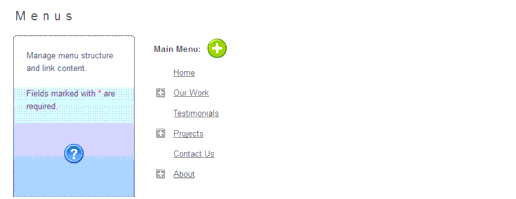
When you select the Menus menu item, all menu items defined for your web site will display.
From the Menus page you can do the following:
Click the plus icon to add a new menu item.
Click the plus sign to expand a menu item and display submenus under that menu item.
Select an existing menu item to open the Edit Menu page. For more information on creating, editing or removing menu items, refer to "Managing Library Files".
|
Valence, L.L.C. 610 S. Peters Street New Orleans, LA 70130 http://www.valencellc.com http://facebook.com/WeAreValence Phone: (504) 214-1886 |